Creating a design system helps you keep your app clean, consistent, and easy to scale.
A design system defines your colours, fonts, buttons, and basic styles so every screen looks and feels the same.
In AppForceStudio, you can create a full design system in minutes and reuse it across your app.
What Is a Design System?
A design system is a set of visual rules for your app.
It includes:
- Brand colours
- Fonts and text styles
- Buttons and UI elements
- Spacing and visual consistency
Instead of styling every screen one by one, you set these rules once and use them everywhere.
Why You Should Create a Design System First
Creating a design system early helps you:
- Keep your app consistent
- Save time when adding new screens
- Avoid messy or mismatched designs
- Scale your app without redesigning everything
With AppForceStudio, your design system can also be turned directly into a working app.
Step-by-Step: How to Create a Design System in AppForceStudio
Step 1: Open the Design System Generator
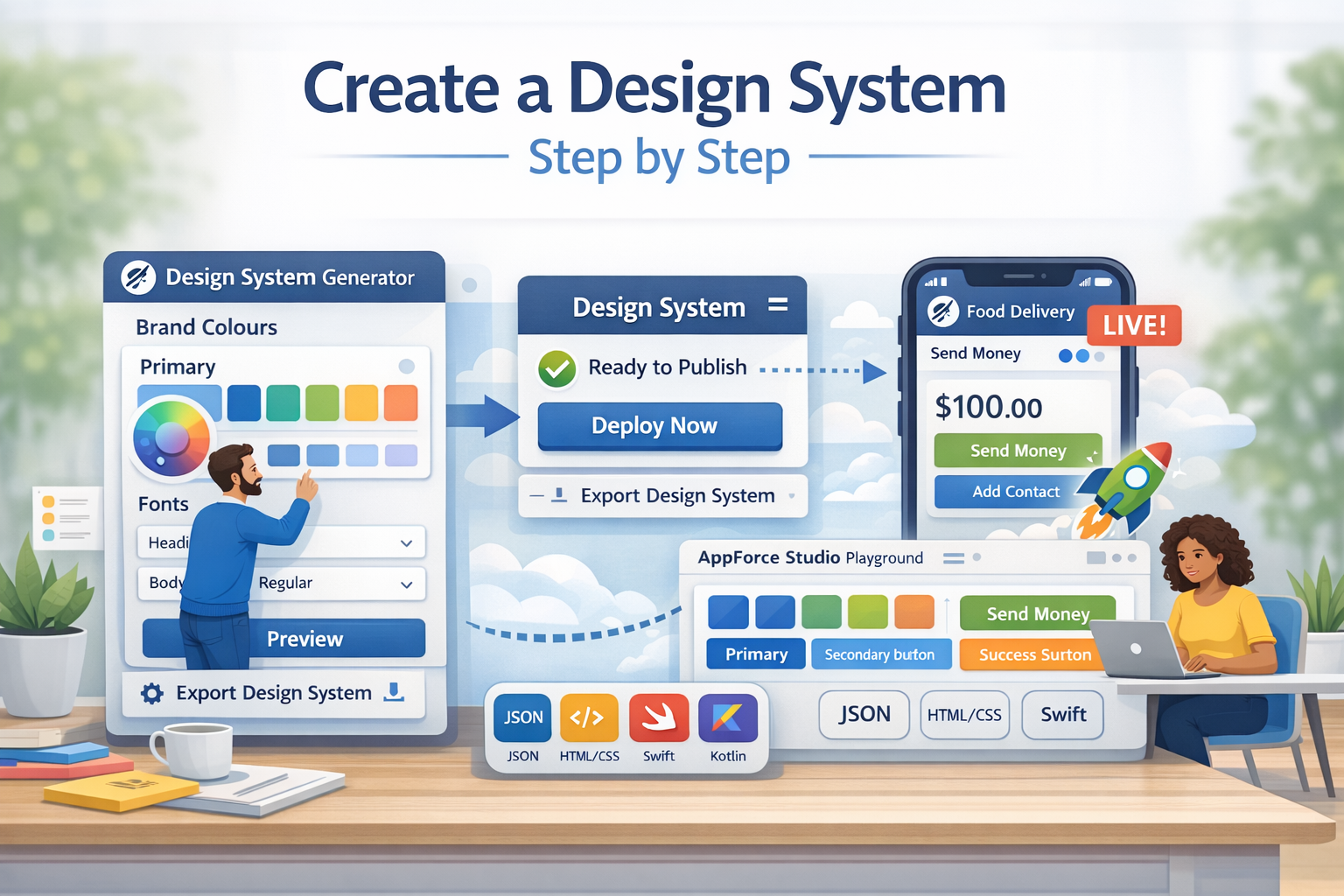
Log into AppForceStudio and open the Design System Generator tool.
This is where you create your brand styles before building screens.
Step 2: Choose Your Brand Colours
Select your primary and secondary colours.
These colours will be used for:
- Buttons
- Backgrounds
- Text highlights
- UI accents
You can preview how the colours look instantly on buttons and text.
Step 3: Set Your Fonts
Choose the fonts for your app.
You can define:
- Headings
- Body text
- Button text
This ensures your typography stays consistent across every screen.
Step 4: Preview Your Design System
Before exporting, preview how your colours and fonts look together.
This helps you confirm:
- Text is readable
- Buttons are clear
- Colours work well together
You can make changes instantly if something does not look right.
Step 5: Save the Design System to Your Playground
Once you are satisfied, save the design system directly into your AppForceStudio playground.
This makes the design system available inside your app project, ready to use.
Step 6: Export Your Design System (Optional)
You can also export your design system in developer-ready formats, including:
- Web formats
- iOS formats
- Android formats
This is useful if you want to share the design system with a team or use it outside AppForceStudio.
Turning a Design System Into a Real App
After creating your design system, you can:
- Generate app screens using AI prompts
- Apply the design system automatically
- Build a full app with consistent styles from the start
Your design system becomes the foundation of your app, not just a style guide.
Common Mistakes to Avoid
- Skipping the design system and styling screens one by one
- Using too many colours
- Mixing fonts across screens
- Changing styles without updating the system
A single, clear design system keeps everything aligned.
Final Thoughts
Creating a design system is one of the fastest ways to build better apps.
With AppForceStudio, you can generate a complete design system once and use it everywhere.