Collaboration in a click. That’s the spirit of AppForceStudio. Whether you’re building solo or with a distributed team, sharing your work should be frictionless. Here’s how to Share your app in AppForceStudio it in seconds.
Step 1: Open the Playground
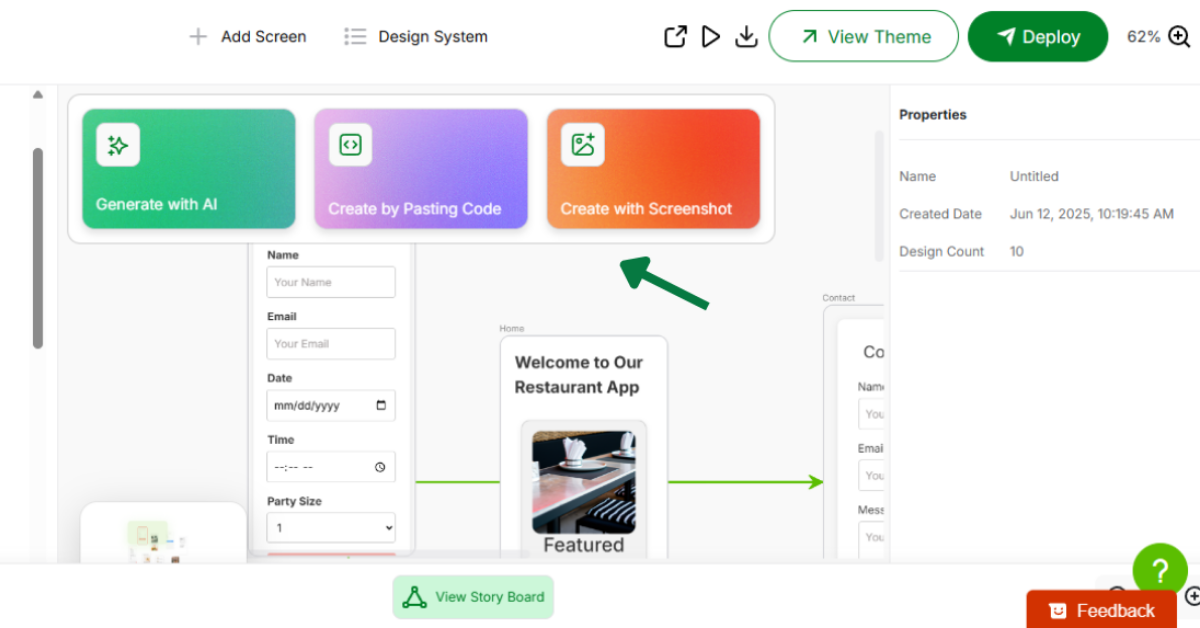
Launch your project from the Playground – this is where all the app-building work happens. You’ll see your screens, code blocks, and live preview.
Step 2: Click the Share Icon to share your app

At the top-right corner of the Playground, look for the Share icon. Clicking this opens up your collaboration options.
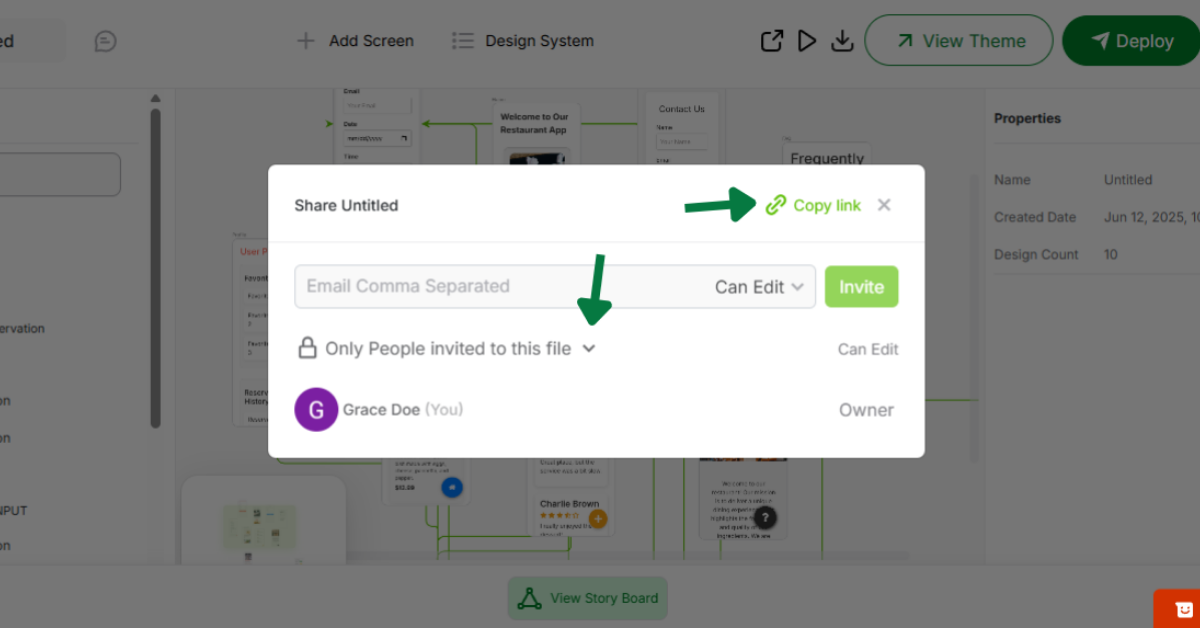
Step 3: Invite by Email or Copy Link

You can add your teammates directly via email (they’ll get an invite instantly), or simply copy your project link and share it through your preferred channels – Slack, Notion, WhatsApp, you name it.
Pro Tip: Anyone with the link can view or edit, depending on the permission you set – ideal for async teams and client handoffs.
There you have it! Here’s how to Share your app in AppForceStudio it in seconds.