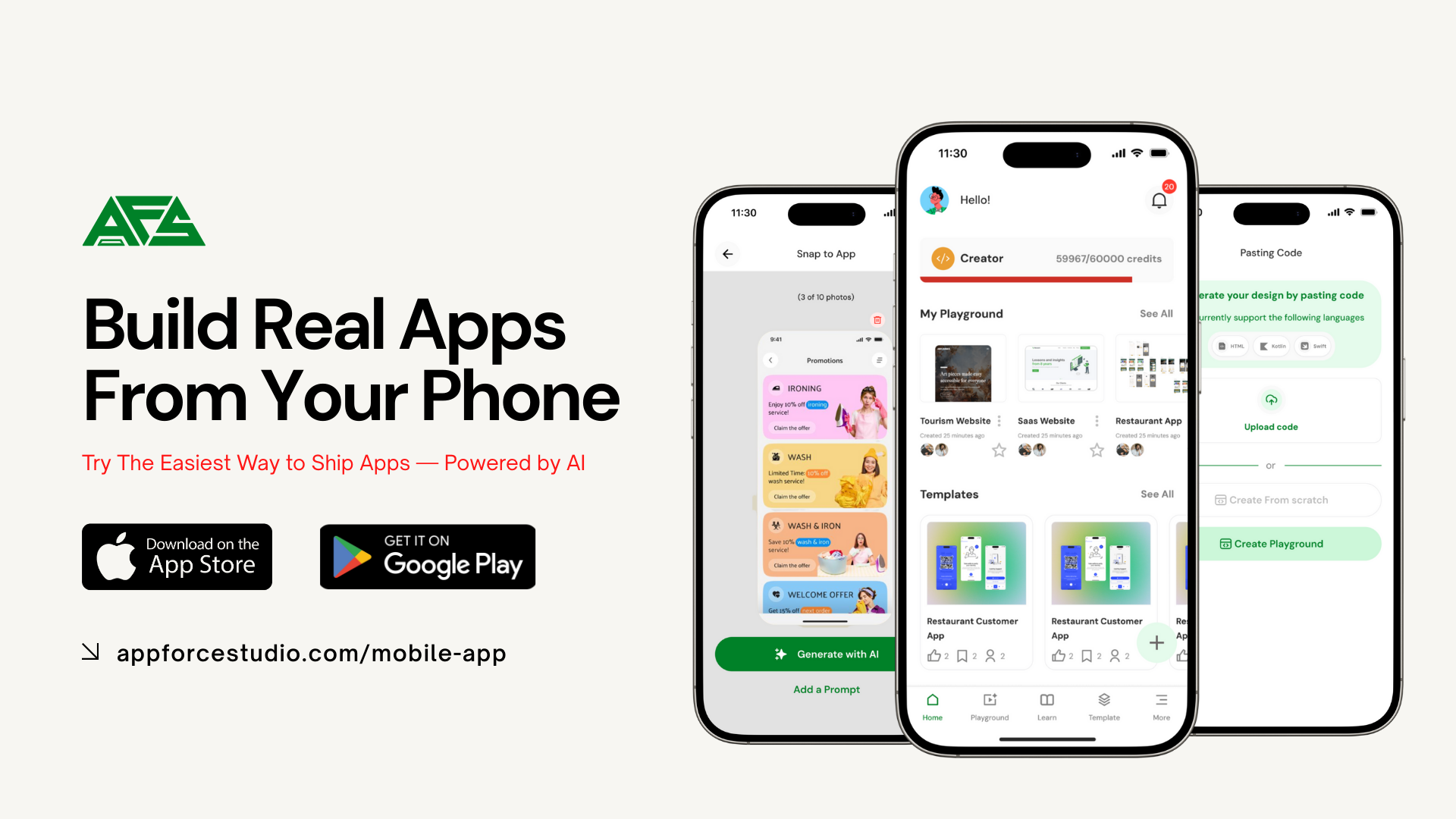
Building an app used to mean hiring developers, waiting months, and spending thousands before you even knew if your idea would work.
AppForceStudio changes that.
AFS is an AI-first app builder that helps founders, designers, developers, and teams turn ideas into fully working apps faster and with more control. Not mockups. Not demos. Real apps you can preview, test, and deploy.
In this guide, we break down every core AppForceStudio feature, explain what each one does, and show how it benefits you, so you understand exactly how AFS helps you go from idea to live app without the usual friction.
1. AI Prompt-to-App
What it is
AI Prompting lets you describe your app in plain English and instantly generate multiple app screens and layouts.
How it benefits you
You can go from idea to structured app screens in minutes without design files or code. This removes the biggest blocker in app development: getting started.
2. Image to App
What it is
Upload UI designs from Figma, Canva, or any design tool, and AppForceStudio converts them into real app screens. Take a picture of app designs and watch them turn into real apps
How it benefits you
Designers keep full creative control. Founders avoid rebuilding designs. What you see visually becomes a functional app UI without handoffs.
3. Paste Existing Code
What it is
Paste or upload existing HTML, SwiftUI, or Kotlin Compose code into AppForceStudio and continue building from there.
How it benefits you
Developers don’t start from scratch. You reuse existing work, enhance it with AI, and still benefit from previews, visual editing, and deployment.
4. Playground Canvas (Visual App Builder)
What it is
A Figma-like visual workspace where all your app screens live. You can drag, duplicate, resize, reorder, and manage screens visually.
How it benefits you
You see the full structure of your app at once, making app creation intuitive instead of technical. This is ideal for non-coders and hybrid builders.
5. Code Mode
What it is
Code Mode is AppForceStudio’s developer-friendly environment that lets you write, edit, and control real app code directly inside AFS, including on mobile. You can work with production-ready code such as SwiftUI, Kotlin Compose, HTML, and JavaScript, with AI support available at any time .
How it benefits you
You get full control without losing speed. Developers can fine-tune logic and layouts, designers can safely tweak code-level details, and founders can make precise changes without leaving the platform. You can switch instantly between Canvas Mode and Code Mode, keeping visual and code changes perfectly in sync.
6. Built-In Code Editor
What it is
A full code editor inside AppForceStudio that lets you view and edit the code behind every screen.
How it benefits you
You can convert designs between web, iOS, and Android formats and export production-ready code anytime. AFS doesn’t lock you in — it gives you ownership.
7. Modify with AI
What it is
Use natural language to tell AI what you want to change in your design or code.
How it benefits you
You don’t need to know how to implement changes. You just describe what you want. Iterations that used to take days now take minutes. Try the AFS Mobile App today.
8. Storyboarding (User Flow Mapping)
What it is
A visual way to map how users move through your app and define what happens when buttons are clicked.
How it benefits you
You design real user journeys, not disconnected screens, making your app usable, testable, and ready for real users.
9. Preview & Prototyping
What it is
Instantly preview and interact with your app like a real product.
How it benefits you
You can test flows, demo to stakeholders, validate ideas, and gather feedback before deployment.
10. Design System Generator
What it is
Create or extract a complete design system — colours, fonts, and components — and export it for web, iOS, and Android.
How it benefits you
Your brand stays consistent across platforms. Teams reuse the same system across multiple apps. Generate once. Deploy everywhere.
11. Sharing & Real-Time Collaboration
What it is
Invite teammates, assign roles, and collaborate on the same app project.
How it benefits you
Feedback happens inside the product. No more screenshots, long emails, or messy handoffs.
12. Commenting & Mentions
What it is
Leave comments directly on app screens and tag teammates.
How it benefits you
Feedback becomes clear, contextual, and actionable, keeping projects aligned and moving forward.
13. Publish as a Template
What it is
Turn any app project into a reusable public or private template.
How it benefits you
Teams can standardise builds, creators can share frameworks, and founders can duplicate proven app structures instantly.
14. Generate Website Code
What it is
Export your app as a fully functional website with one click.
How it benefits you
Launch faster across platforms without rebuilding. One app, multiple outputs.
15. Generate Native iOS & Android Apps
What it is
Generate Xcode and Android Studio files directly from your app project.
How it benefits you
You get real native apps, not wrappers. Developers can continue building natively or submit to app stores.
16. Playground AI Assistant
What it is
An AI assistant that can perform actions inside your app project through chat.
How it benefits you
You can build, edit, and manage your app conversationally, reducing the learning curve and speeding everything up.
17. One-Click Website Deployment
What it is
Deploy your app as a live website and connect a custom domain.
How it benefits you
You can go live without dealing with servers, DevOps, or complex setup — perfect for MVPs and fast launches.
Why AppForceStudio Is a True AI App Builder
Most AI tools help with one part of development. AppForceStudio covers the entire journey: idea, design, build, test, and deploy.
AppForceStudio stands out as an AI app builder for real apps because it takes you from idea to design, build, testing, and deployment in one connected workflow.
It’s faster than traditional development, more flexible than no-code tools, and more accessible than developer-only platforms.
If you’re searching for an AI app builder that creates real apps, AppForceStudio is built for you.
Download the AppForceStudio AI App Builder from the App Stores and start building today.