The dream of instant app creation
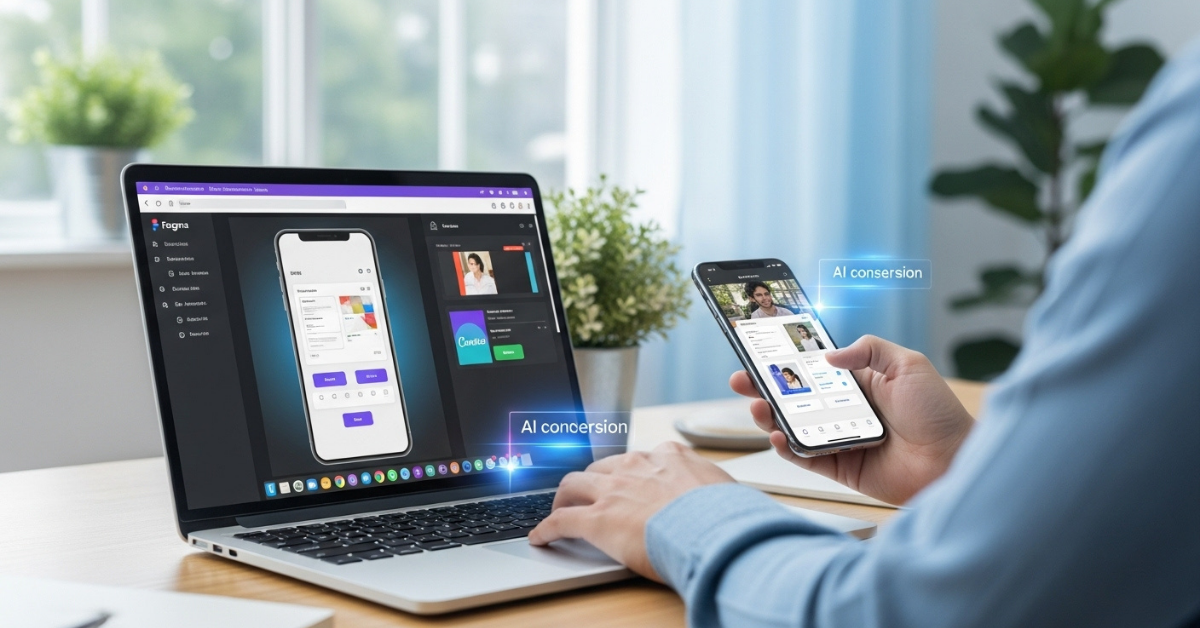
Imagine sketching your dream app in Figma or Canva and, within minutes, seeing it running on your phone.
For designers, founders, and mobile creators, this isn’t just a fantasy anymore. The gap between design and functioning app is closing fast, thanks to new AI-powered workflows that turn screenshots into fully functional apps.
In this post, we’ll explore how this process works, how much time it saves, and how platforms like AppForce Studio make design-to-app building effortless.
Upload → Generate → Edit
The modern app-building process has evolved from manual coding to AI-assisted generation. With “screenshot-to-app” tools, the workflow is simple:
- Upload your design: Whether from Figma, Canva, or even a screenshot, upload your UI design.
- AI interprets your layout: The tool automatically detects buttons, text fields, colors, and navigation elements.
- Generate the app instantly: In seconds, you get a working mobile app with your design applied to real components.
- Edit and refine: Customize behavior, animations, or integrations; no need to start from scratch.
It’s like watching your design files come alive.
If you’ve ever spent days replicating a Figma mockup into code, this feels like a revolution in productivity.
From Figma or Canva to Live UI
Let’s say you’ve built a sleek mobile UI in Figma or Canva. Traditionally, you’d need a developer to convert those layers into code HTML, CSS, SwiftUI, or Flutter.
Now, AI handles that translation automatically.
Here’s what happens behind the scenes:
- It scans each component (buttons, inputs, cards, nav bars).
- It generates responsive layouts and platform-specific UI (iOS, Android, or web).
- It auto-detects text styles, color themes, and spacing for accuracy.
This process transforms static designs into dynamic UIs that are ready for testing, preview, or even App Store submission.
Time Saved for Designers
Designers spend hours aligning pixels and exporting assets only for those files to sit unused while developers rebuild everything from scratch.
That inefficiency is what AI-based “screenshot-to-app” creation eliminates.
Here’s what it changes:
- 80% faster build cycles: Skip redundant UI recreation.
- Smarter reuse: Update your Figma, re-upload, and regenerate.
- Real previews: Test layouts on real devices instantly.
This means design teams can finally deliver ready-to-test mobile experiences instead of static prototypes.
In a world where launch speed matters more than perfection, this workflow transforms how creative teams deliver apps.
Why This Matters for Mobile Creators
Mobile creators, indie developers, and product designers now operate in a world where speed = opportunity.
The faster you can validate, publish, and iterate, the higher your chances of finding traction. Turning a screenshot into a working app lets creators:
- Showcase real user flows to investors.
- Test design usability instantly.
- Build MVPs that actually run on phones, not just mockups.
And that’s the magic of this new generation of tools. They don’t just make design easier; they shorten the entire app creation cycle.
Where AppForce Studio Fits In
AppForce Studio takes this “screenshot-to-app” workflow further.
You can:
- Upload screenshots, Figma links, or design exports.
- Watch as AI generates native, editable app layouts.
- Switch to code view if you’re a developer.
- Connect APIs or databases instantly.
It’s not just about making apps look real, it’s about making them launch-ready.
To see how fast you can go from idea to interface, try the AFS Design Importer inside the platform.
Build from your next screenshot
Have a design you love sitting in Figma or Canva?
Don’t let it stay static.
Upload it to AppForce Studio and turn your screenshot into a working mobile app in minutes.