Before you deploy, you prototype. That’s why AppForceStudio, the all-in-one AI no-code app builder, also functions as a powerful app prototype tool – letting you preview every screen, interaction, and user flow in real time.
From desktop to tablet to mobile, you’ll know exactly what your users will experience – before writing a single line of production code.
Step 1: Create Your Playground & Build Your Screens
Start by setting up your Playground, which serves as your creative lab for building and experimenting.
Need help setting up?
👉 Read: How to Create a Playground in AppForceStudio
Then, build your app screens using any of AppForceStudio’s core generation methods:
- AI prompt
- Screenshot upload
- Code
- Design system or template
Tweak the layout, add navigation, link buttons – and when you’re ready to experience it like your end users will…
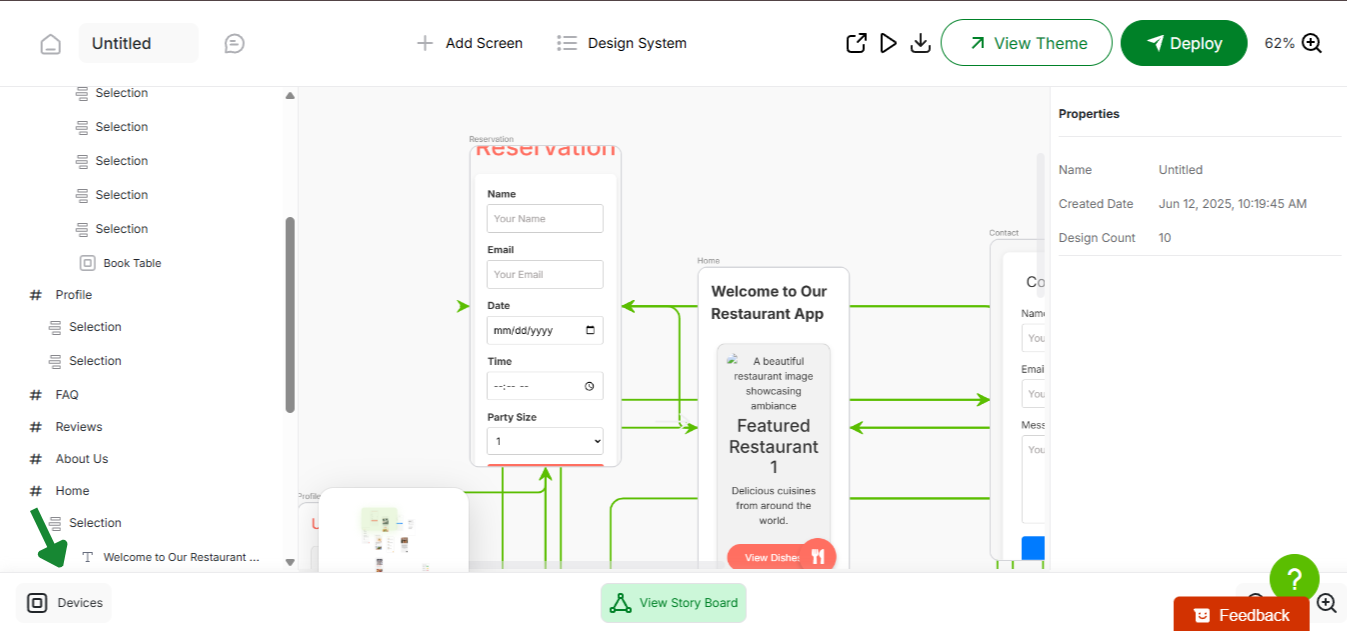
Step 2: Click the “Play” icon to Enter App Prototype Tool Mode
Inside your Playground, just tap the Play icon (usually top-right or beside screen controls).
This activates Prototype Mode – giving you a full, interactive preview of your app.
What you can do:
- Click through buttons to test navigational logic
- Experience real screen transitions
- Preview animations and interactive elements
- Test conditional visibility or screen logic

Step 3: Preview Across Devices – Mobile, Tablet, Desktop
No more guessing how your app will look across breakpoints.
Inside prototype mode, AppForceStudio provides instant toggle options to simulate:
- Mobile view
- Tablet view
- Desktop view
Perfect for product teams targeting responsive web or cross-platform experiences.

Why Use AppForceStudio’s App Prototype Tool?
| Feature | Why It Matters |
|---|---|
| ⚡ Instant Prototyping | Go from screen to simulation in one click |
| 👆 Clickable UI | Simulate real user interactions |
| 📱 Multi-Device Preview | Test across breakpoints without setup |
| 🛠️ Fully Editable | Update in real-time without breaking flow |
| 🚀 Deploy-Ready | Once it works, deploy it – no handoff needed |
Build. Preview. Iterate.
With AppForceStudio, previewing your app isn’t a separate phase – it’s built into your creative flow.
👉 Launch Prototype Mode now and walk through your app like your users will – AppForceStudio.com