Stop Waiting. Start Building.
How many app ideas have you scribbled in a notebook, only for them to sit untouched for months?
Traditionally, building an app meant hiring developers, waiting 3–6 months, and spending $30,000+. Here are apps you can build for free
Not anymore.
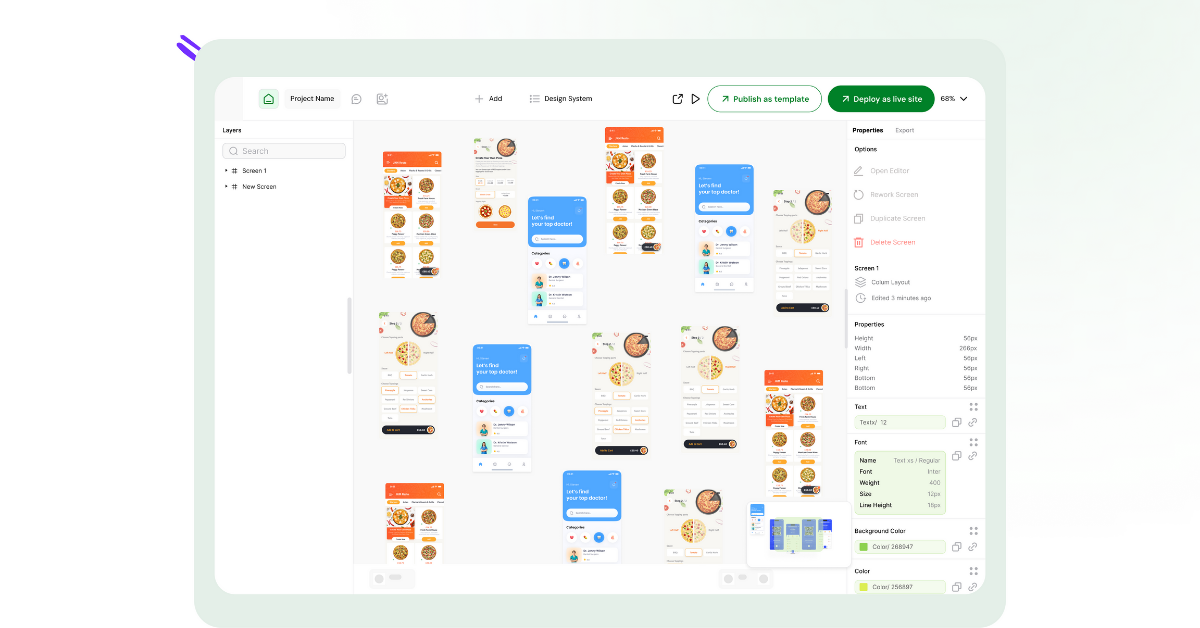
With AppForceStudio (AFS), you can go from idea → working app in days, even hours. Thanks to AI prompting, drag-and-drop design, and code-level flexibility, you can launch real, functional apps without delays.
This isn’t a thought experiment. It’s a challenge.
Here are 5 apps you can realistically build in 48 hours with AFS.
5 Real Apps You Can Build For Free
1: The Personal Finance Tracker
- Your Mission: Build an app that logs expenses, tracks income, and visualises savings goals.
- What it does: Let users log income, expenses, and savings goals.
- How to build it in AFS: Start with an AI prompt: “Build a simple personal finance app with expense categories and charts.”
- Use Storyboarding to connect screens like “Add Transaction” → “Overview Dashboard.”
- Preview instantly, then export as a working iOS/Android app.
- Why it’s weekend-ready: Basic CRUD functionality + charts. Perfect test case for learning AFS.
- Why It’s Doable in a Weekend: AFS AI can generate multiple screens at once from a simple prompt. Use Storyboarding to connect flows like “Add Transaction” → “Overview Dashboard.”
- Pro Tip: Deploy to the web and share with friends to test by Sunday night.
2: The Restaurant Ordering App
- Your Mission: Create a local eatery’s digital menu with ordering + payments.
- What it does: Customers browse menus, place orders, and track delivery.
- How to build it in AFS: Upload a screenshot of your menu (or mockup from Canva/Figma). AFS converts it into a working UI.
- Add Payment Integration and order flow.
- Deploy directly as a web app or native app.
- Why it’s weekend-ready: Restaurants love simple ordering apps. Great MVP for small business clients.
- Why It’s Doable in a Weekend: Upload a screenshot of your menu — AFS will auto-convert it into an interactive UI. Then drag in a payment component and connect it to order tracking.
- Pro Tip: Use the one-click deploy feature to show it live on a custom URL.
3: The Community Event Finder
- Your Mission: Let users discover local events, RSVP, and get reminders.
- What it does: Shows local events with maps, RSVP, and reminders.
- How to build it in AFS:
- Use drag-and-drop in the UI App Builder to design event cards.
- Add Maps & Location from the AFS feature library.
- Enable push notifications for reminders.
- Why it’s weekend-ready: Small but impactful app that’s useful for schools, clubs, or nonprofits.
- Why It’s Doable in a Weekend: Add event cards with the UI App Builder, link them with Maps & Location features, and turn on push notifications for event alerts.
- Pro Tip: Test it with a small group (school club, church, or neighbourhood meetup).
4: The Fitness Habit Tracker
- Your Mission: Build an app that tracks workouts and keeps streaks.
- What it does: Lets users track workouts, streaks, and progress.
- How to build it in AFS:Prompt: “Create a workout tracker with daily check-ins and streak counter.”
- Use Preview & Prototyping for quick user testing.
- Deploy to the web so friends can try it instantly.
- Why it’s weekend-ready: Simple database + gamified UI. Easy to ship, fun to use.
- Why It’s Doable in a Weekend: AFS Preview & Prototyping lets you instantly test interactions. No waiting on builds — every edit is live in seconds.
- Pro Tip: Share the prototype with friends to get feedback before you finalise.
5: The Student Project Showcase
- Your Mission: Create a hub where students upload projects and share portfolios.
- What it does: Lets students upload projects, add descriptions, and share with peers.
- How to build it in AFS:
- Use the Design System Generator to set your school’s colours/fonts.
- Add upload + profile features with drag-and-drop UI builder.
- Export as a web app — perfect for class demos.
- Why it’s weekend-ready: Great for educators, hackathons, or portfolios.
- Why It’s Doable in a Weekend: Use the Design System Generator to set school or brand colours. Then drag in upload + profile components to create a simple gallery.
- Pro Tip: Great for teachers or hackathons — let students see their work in app form.
Why Take the AFS Weekend Challenge?
Because building an app no longer has to be a year-long ordeal.
With AFS, you get:
- AI prompting: Turn plain text into real app screens.
- Drag-and-drop UI builder: No code required.
- Screenshot/Image to App: Upload an image to get a working app screen
- One-click deploy: Web or native app, ready to share.
You’ll finish the weekend not just with an idea but with something you can actually use, test, and share.
Why These Projects Matter
Each project here is fully buildable in a weekend because AFS handles the heavy lifting:
- AI-first workflows: Generate entire apps from prompts.
- Design freedom: Start from screenshots, templates, or your own brand system.
- One-click deploy: Launch to web or app stores instantly.
Instead of waiting months or burning cash, you can build something real this weekend.
Join the Challenge
This weekend, pick one of these five projects. Set a 48-hour timer.
By Sunday night, you could have a working app. With AppForceStudio, you can test, build, and launch without code, guesswork, or delays.
👉 Ready? Start building with AppForceStudio — no credit card required.