If you’re still prototyping in Figma, wrangling dev handoffs, or praying your MVP ships before Q3, I have news: the build game has changed. AI app builders are no longer cute weekend hacks or side hustler toys. They’re actual product engines-powerful enough to ship real software, fast enough to outpace sprints, and smart enough to understand what you meant even if you didn’t spell it out perfectly.
But not all AI app builders are created equal. Below, we break down the Top 5 AI app builders of 2025-analyzing them across core vectors like pricing, creation model, dev experience required, and standout features. Plus, we tackle some FAQs to help you choose the best-fit platform for your build strategy.
Now, Let’s Explore These TOP 5 AI App Builders
1. AppForceStudio

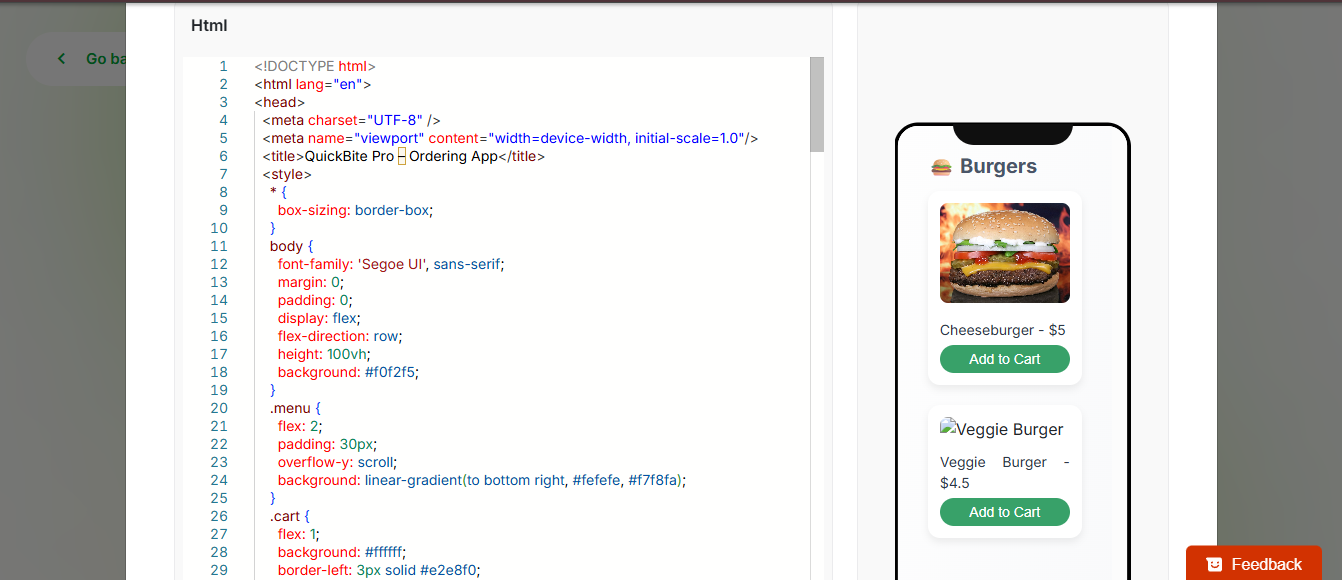
AppForceStudio stands out as an AI-native product development platform designed for teams that operate across functions- founders, developers, designers, and product managers alike. Unlike most builders that focus on a single input method, AppForceStudio offers multi-modal creation: from prompt-to-app, screenshot-to-app, and even code-to-app. It’s not just about speed-it’s about strategic execution at scale. With built-in live previews, cross-team collaboration, and an intuitive UX layer, it doesn’t just build fast-it builds right.
It’s less “generate and hope” and more “co-create and iterate”-and that’s what makes it dangerous (in the best way possible).
Mode of Creation:
- Prompt-to-App
- Screenshot-to-App
- Code-to-App
- Customizable templates
- Live Preview + Collaboration-first
Best For: Product Managers, Agencies, Designers, and Founders looking for real-time iteration and hyper-fast prototyping, MVPs, Internal tools and more without vendor lock-in.
Key Features:
- AI that understands product intent, not just UI.
- Converts screenshots, prompts, or raw code into functional web apps.
- Real-time collaborative editing (Figma-style but for app logic).
- Customizable User interface
- Template library built for customization, not confinement.
- Host using your custom domain or a default one given by AppForceStudio
Pricing:
- Free tier available (limited generations).
- Paid plans start at $10/month for creators, with scalable usage credits..
Dev Experience Required:
- None. Great for no-code builders.
- Advanced users can drop in custom code (HTML, SWIFT, KOTLIN CODE)
Requires Coding?
- Not required. AppForceStudio made room for developers to tweak using their own code. The platform adapts based on your input style so whether or not you have dev skills, you can build.
Strategic Advantage: AppForceStudio is built for fluid, multi-modal input, meaning your workflow doesn’t have to change-it adapts to you. Ideal for teams juggling vision, velocity, and validation.
2. Glide

Glide takes a very specific approach to app building: it transforms spreadsheets-like Google Sheets or Airtable-into polished mobile or web apps. It’s remarkably fast, clean, and easy to use, making it ideal for teams building internal tools, dashboards, or resource portals.
Mode of Creation:
- Spreadsheet-to-App
- Prompt-to-app
- Pre-built templates from Glide marketplace
- Integrating Javascript API
Best For: Internal tools, inventory systems, CRMs, and fast MVPs for data-centric businesses.
Key Features:
- Connect Google Sheets or Excel to auto-generate apps.
- Drag-and-drop UI customization.
- Basic logic workflows and authentication.
- Rich component marketplace.
- Prompt to app feature
Pricing:
- Free tier with Glide branding.
- Paid plans start at $19/month for Pro features.
- Enterprise available on request.
Dev Experience Required:
- None. Spreadsheet logic suffices.
Requires Coding?
- No.
Insight: Glide is perfect if your app is a data lens, not an experience layer. But it may feel restrictive when designing for user interaction-heavy flows or public-facing apps.
3. Bubble

Bubble has long been the most flexible no-code AI app builder on the market, offering deep control over database design, user workflows, and app behavior. It’s ideal for building production-ready SaaS apps or marketplaces that require custom logic, complex conditions, or tailored interfaces.
While it offers more control than most platforms, that power comes with a significant learning curve. It’s best suited for builders with a technical experience who are willing to invest time in mastering the tool and using a little bit of developers experience.
Mode of Creation:
- Visual Editor + Logic Builder
- Prompt to app
- Customizable template
Best For: Founders and startups looking to build robust web apps with extensive logic, workflows, and backend customization.
Key Features:
- Visual drag-and-drop editor.
- Database + workflow logic engine.
- Plugin marketplace with 1,000+ extensions.
- Responsive design controls.
Pricing:
- Free tier available.
- Paid plans from $29/month, but scaling usage costs can creep up fast.
- Dedicated hosting and enterprise plans available.
Dev Experience Required:
- Moderate. There’s a learning curve.
Requires Coding?
- No, but JavaScript helps for custom logic.
Bubble is powerful-but can become bloated for teams prioritizing speed over deep logic. It rewards those who can invest upfront in learning its UX paradigm.
4. Replit

Replit isn’t trying to abstract away code-it’s trying to make coding radically more efficient. With its integrated development environment (IDE) and AI assistant (Ghostwriter), Replit enables developers to write, refactor, debug, and deploy apps all in one place. Replit is not a no-code tool; it’s a code-first platform enhanced by AI
Mode of Creation:
- Code-to-App (AI-assisted IDE)
- Build from scratch
- Import existing repositories
- Prompt to app
Best For: Developers, technical founders, and power users who prefer code but want AI augmentation.
Key Features:
- AI pair programmer via Ghostwriter.
- Built-in hosting and deployment.
- Multi-language support.
- Real-time collaboration in a dev environment.
Pricing:
- Free tier for hobbyists.
- Paid from $15/month, includes compute cycles.
- Team plans available.
Dev Experience Required:
- High. It’s a developer tool first.
Requires Coding?
- Yes.
While not a no-code tool, Replit is a paradigm shift for developers-bringing AI-assisted building into building.
5. Lovable

Lovable focuses on enabling fast, AI-powered front-end creation through a conversational, prompt-based interface. It’s tailored for creative professionals-designers, marketers, and founders-who need to prototype beautiful web experiences without code. Its strength lies in aesthetic output and intuitive interactions. However, Lovable isn’t designed for robust application logic or backend integrations. It’s a powerful tool for validating concepts, building landing pages, and presenting polished front-ends, but not for complex workflows or enterprise-grade applications.
Mode of Creation:
- Prompt-to-App
- Copy-Paste Code to App
- Image to app
Best For: Indie creators and founders who want delightful UX with minimal input.
Key Features:
- Natural language prompt to generate mobile or web apps.
- Auto-generated animations and interactions.
- Integrated design system.
- API integrations
- Integration with GitHub and Superbase.
- Team Collaboration (Coming/Beta)
Pricing:
- Free to start.
- Paid plans start at $25/month.
Dev Experience Required:
- None.
Requires Coding?
- No. Lovable made room for developers to include their own code. Good for those with and without code experience.
Note: Lovable shines in low-complexity, high-design use cases-think portfolios, experimental apps, or landing pages. Less suited for apps with complex state or logic handling.
📌 FAQs On These AI App Builders
1. Can I build a production app with these tools?
Yes- but choose wisely. Tools like Replit and Bubble scale to production-grade use cases. Others like Glide and Lovable) are better suited for internal tools or MVPs.
2. Are these AI app builders safe for enterprise use?
AppForceStudio, Replit, and Bubble offer enterprise-grade options with SSO, SOC-2 compliance, and audit trails.
3. Which one is fastest for prototyping?
AppForceStudio and Lovable lead here with prompt-to-app generation in under 60 seconds.
4. Which one is best for working with a team?
AppForceStudio stands out with multi-role collaboration built-in—no need to context switch between tools.
5. Do I own the code I generate?
Replit and AppForceStudio allow code export and self-hosting, a key concern for IP-conscious users.