


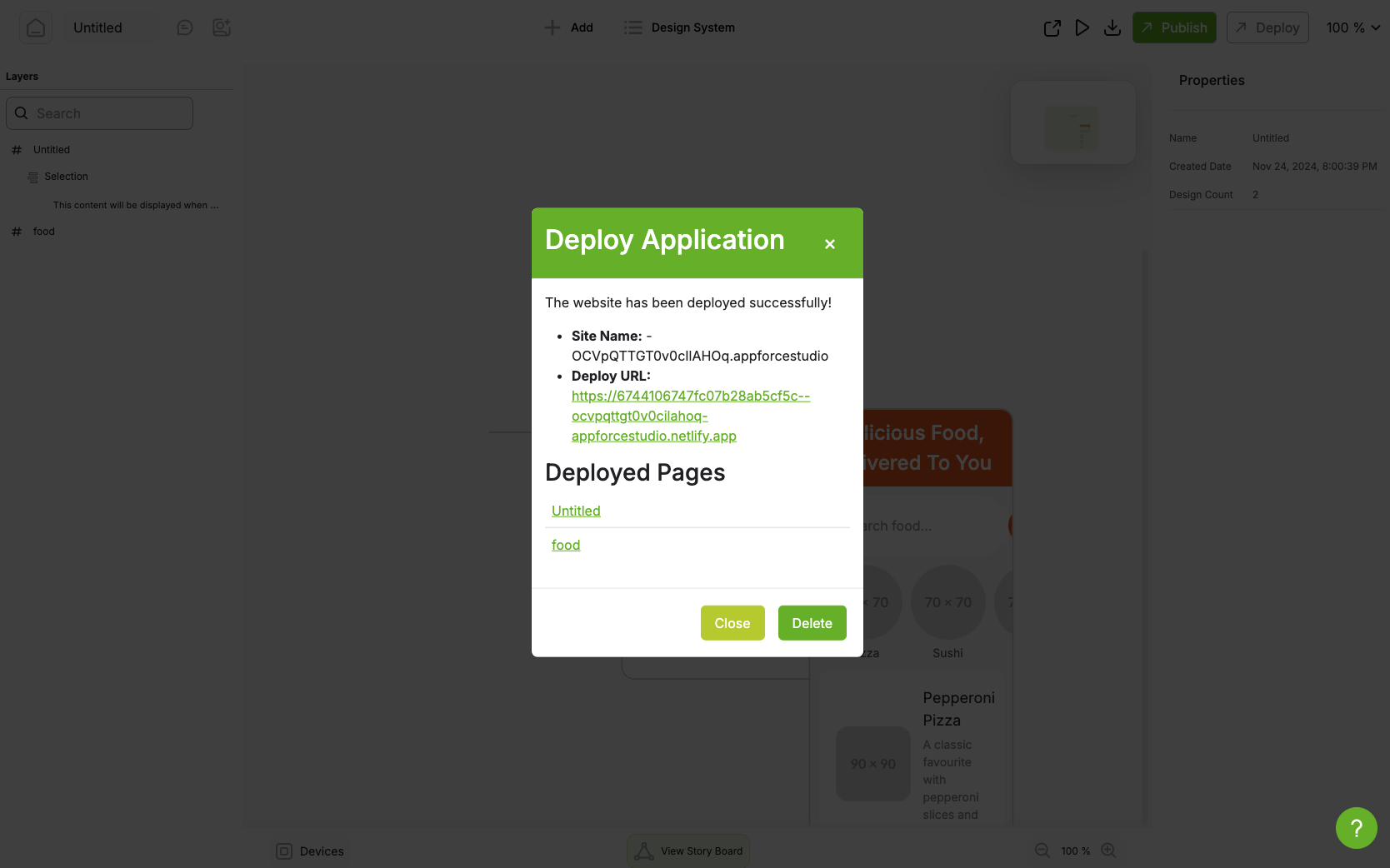
We are excited to introduce another powerful feature of AppForceStudio—Deploy Web App. This feature allows you to deploy your playground projects into fully functional websites with just a few clicks. Below, we’ll walk you through how this feature works and how it can make sharing your projects easier than ever.
Deploy Web App: Make Your Projects Live
The Deploy Web App feature is designed to simplify the process of turning your prototypes and designs into live, shareable web applications. With just a single click, you can take your project from concept to deployment, making it accessible to anyone with an internet connection.
How to Use the Deploy Web App Feature
Here’s how you can quickly deploy your project:
- Log In to Your Dashboard: Start by logging into your dashboard. This is where all your projects are managed.
- Click on the Deploy Button: Once you’ve accessed the project you want to deploy, simply click on the deploy button located at the top of the page.
- Confirm Deployment: You will be prompted to confirm that you want to deploy your project. Once confirmed, the system will take care of the rest.
- Access Your Live Site: After a few moments, the deployment process will be complete. You will receive a link to your newly deployed website, along with links to all the pages included in your project.
- Share with Others: You can now share the link with anyone you want! Whether you’re sharing with clients, teammates, or testing with real users, the link makes collaboration and feedback effortless.
Why Deploy Web App Matters
The ability to deploy a web app directly from your playground simplifies the often-complicated process of hosting and sharing your project. It makes it easier for you to:
- Get Feedback: Share your deployed project with teammates, clients, or testers for real-time feedback.
- Prototype Quickly: Quickly turn a playground prototype into a functioning website to see how it performs live.
- Collaborate: Send live versions of your work to collaborators without the need for manual hosting or complex setup.
This feature is all about making app development and sharing more accessible, so you can focus on refining your vision rather than getting caught up in technical details.
Final Thoughts
With the new Deploy Web App feature, bringing your projects to life is easier than ever. Whether you’re deploying a prototype to share with clients or launching a simple app for testing purposes, this feature makes deployment as easy as clicking a button.
Ready to see your project live? Head over to your dashboard and click on the deploy button today!
FAQ: Deploy Web App in AppForceStudio
1. What is the Deploy Web App feature?
It lets you publish your playground projects as fully functional, live websites with a single click—no code, no servers, no DevOps drama.
2. Is it free to use?
Yes! You can deploy one web app for free. To deploy multiple apps, you’ll need to upgrade to a premium plan.
3. Can I use a custom domain?
Absolutely. Custom domain support is built in. Link your own domain to give your app a professional polish.
4. How fast is deployment?
Super fast. Most apps go live in under a minute after hitting “Deploy.”
5. Can I update a deployed app?
Yes. Just make changes in your playground and re-deploy. Your link stays the same, and the updates go live instantly.
6. What kind of projects can I deploy?
Everything from MVPs and client tools to personal websites and landing pages. If you can build it in AppForceStudio, you can deploy it.
7. Who can view my deployed app?
Anyone with the link. It’s a public URL—perfect for demos, collaboration, or real-world testing.
8. Is my deployed app mobile responsive?
Yes. Your app will adapt beautifully across mobile, tablet, and desktop.
9. Can I delete a deployed app?
Yes. If you delete the associated playground, the live app goes offline. Be sure to back up anything you want to keep.
10. What’s the upgrade plan include?
Beyond multiple deployments, upgrades may unlock more features like advanced analytics, additional team members, and faster build capacity. Details live in your account settings.


