


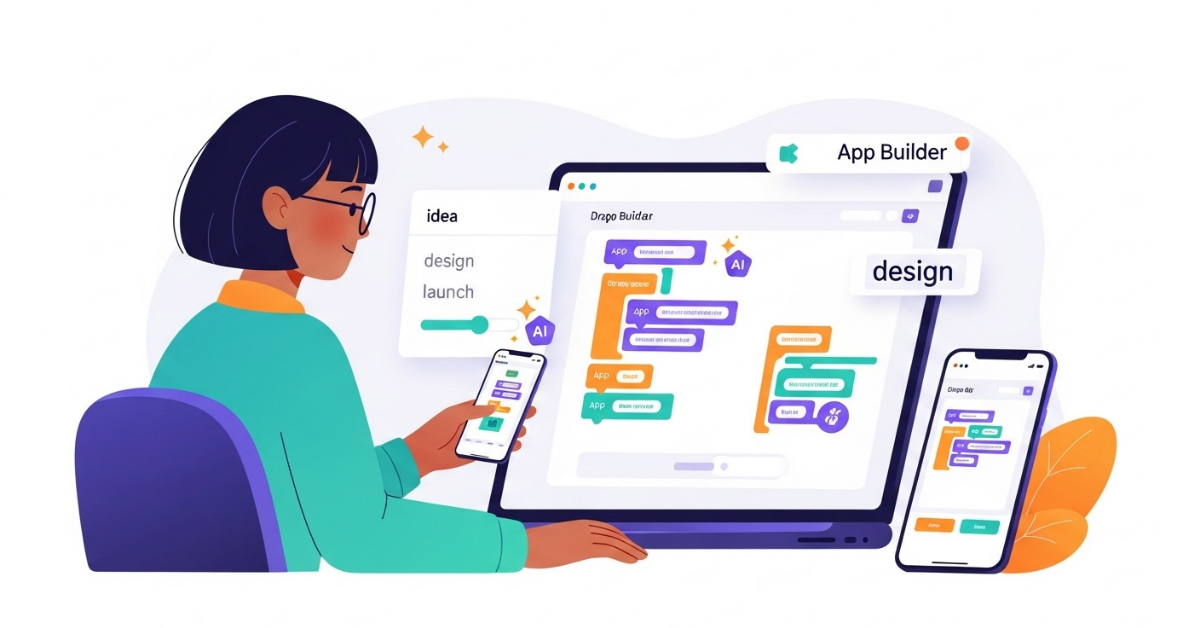
Introduction: Why Everyone Wants to Build an App in 2025
Apps run our daily lives. From ordering food and booking travel to managing finances and learning new skills, there’s an app for everything.
In 2025, anyone can build an app, not just tech giants or seasoned developers. Students, freelancers, small businesses, and solo founders are all joining the app-building wave.
But beginners often feel stuck:
- Coding feels intimidating.
- Hiring developers is expensive.
- The process seems overwhelming.
The truth? You don’t have to be a programmer or spend thousands to bring your idea to life. Thanks to no-code and AI-first platforms, you can go from idea to app in days.
📊 In fact, the global mobile app market forecast shows it’s projected to reach US$756 billion by 2027, growing at 8.58% annually. That means now is the perfect time to learn how to build an app.
What “No-Code” and “Low-Code” Really Mean
If you’re new to app development, you’ve probably heard “no-code” and “low-code.” Here’s what they mean:
- No-Code → Build apps visually. Instead of writing code, you drag-and-drop elements or describe what you want in simple language. Think of it like Canva, but for apps.
- Low-Code → You still build mostly visually, but you can add small amounts of code for custom features when needed.
🌟 In 2025, a modern no-code platform works like Canva for apps — letting beginners design and launch quickly without advanced skills.
The Three Main Paths to Building an App
A. Coding From Scratch
The traditional route. You choose a programming language (Swift for iOS, Kotlin for Android, React Native for cross-platform) and write everything from scratch.
Pros:
- Maximum flexibility and control.
- Scalable for advanced apps.
Cons:
- Expensive (hiring developers costs $100k+ on average).
- Time-consuming (3–9 months).
- Requires technical expertise.
💰 Industry surveys reveal that traditional app development costs can range from $50,000 to $300,000 depending on complexity. This high cost is one of the biggest barriers for beginners learning how to build an app, which is why many turn to no-code or AI-first options.
B. No-Code & Low-Code Platforms
Tools like Bubble, Glide, or Adalo let you build apps visually using drag-and-drop interfaces.
Pros:
- Beginner-friendly.
- Faster and cheaper than coding.
Cons:
- Some only create prototypes, not full apps.
- It can feel restrictive if you want custom features.
🌟 Many of today’s free app builders fall into this category, giving beginners a simple way to get started without heavy costs.
C. AI-First App Builders (The New Era)
2025 has introduced a new category: AI-first app builders.
Here’s how they work:
- Type a prompt (“Build me a fitness tracker with daily reminders”) → the platform generates screens.
- Upload a screenshot or Figma design → it becomes a working UI.
- You can still use drag-and-drop or even add code if you want.
🌟 An AI app builder can take your idea, written as a single prompt, and instantly generate screens — making app creation faster than ever.
This gives beginners the fastest, cheapest, least intimidating way to build apps.
The Cost Factor: Code vs. No-Code 💰
One of the first questions beginners ask: “How much does it cost to build an app?”
Here’s what it looks like in 2025:
| Approach | Cost Estimate | Time to Launch | Who It’s For |
|---|---|---|---|
| Coding | $100k+ (agency/team) | 3–9 months | Tech teams, large companies |
| No-Code | $30–200/month | Weeks | Beginners, startups, small businesses |
| AI-First | Free → $20/month | Days | Anyone, especially beginners |
🌟 Why No-Code (and AI-first) Wins: You can test ideas quickly, save thousands, and build real, deployable apps instead of just prototypes.
Why Beginners Should Choose AI App Builders in 2025
For beginners, choosing an AI app builder is the fastest, cheapest, and least intimidating way to launch an app while still leaving room to grow when you’re ready.
With these tools, you can create your first prototype in days instead of months. They’re also affordable, often free to start, and designed for scalability. Unlike traditional or even free app builders, AI-first tools produce real apps, not just prototypes.
Here’s why AI-first platforms are the best starting point for beginners:
- No Coding Required
- Faster Results
- Affordable (Even Free)
- Multiple Ways to Create
- Built for Beginners, Scalable for Growth
- Real Apps, Not Just Prototypes
🚀 And it’s not just hype — TechCrunch on AI adoption in product development reports that AI adoption is accelerating faster than ever, making AI-first app builders one of the most important shifts in 2025.
💡 Recommended: The most beginner-friendly AI app builder in 2025 is AppForceStudio. It combines AI prompts, drag-and-drop building, and optional coding so you can start simple and grow at your own pace
Step-by-Step: How to Build Your First App
1: Define Your Idea
Write your app idea in one sentence. Don’t overcomplicate it, focus on solving a simple problem. Start with a Minimum Viable Product (MVP).
2: Choose How You’ll Build
Next, decide whether to code, use a no-code platform, or start with an AI app builder. Choose based on your skills, budget, and goals.
3: Design Your App
Once you’ve chosen your method, begin designing screens with prompts, uploads, or drag-and-drop tools.
4: Prototype & Test
After designing, preview your app, share it with friends or early users, and gather feedback to improve.
5: Launch Your App
Finally, deploy as a web app, native iOS/Android app, or Progressive Web App (PWA)
🌟 The easiest way to do all of this today is with an AI-first builder like AppForceStudio. By this time next week, your first app could already be live.
How AppForceStudio Covers Every Step
| Step | What You Need | How AFS Helps |
|---|---|---|
| Define Your Idea | Start small, outline features, plan MVP | Use AI prompts to instantly generate app structure and screen flows |
| Choose How to Build | Pick between coding, no-code, or AI-first | Build with AI prompts, drag-and-drop canvas, or add custom code if needed |
| Design Your App | Create screens, set colors, fonts, branding | Use AI to generate screens instantly, upload a Figma/Canva design file, and customize with the Design System Generator |
| Prototype & Test | Preview flows, share with users, collect feedback | Get a live preview of your app, test navigation, and make instant edits |
| Launch Your App | Deploy to web, iOS, or Android | One-click deploy to websites, App Store, or Google Play |
🌟 AppForceStudio is the only beginner-friendly platform that covers every step (from idea to launch) in one place.
Common Beginner Mistakes (and How to Avoid Them)
- Overbuilding: Too many features at once. → Start small.
- Skipping testing: Launching without feedback. → Prototype first.
- Ignoring design: Bad UI = poor adoption. → Use design systems.
- Overpaying early: Don’t spend $100k before validating.
Some beginners also rely only on free app builders that create demos but not real apps, leading to frustration when they try to scale.
📌 If you’d like to explore the cost of building apps in more detail, try our App Cost Calculator, which breaks down coding vs. no-code vs. AI-first costs for your specific idea.
Conclusion: Don’t Just Dream It, Build It
App development used to mean months of coding and huge costs. In 2025, you can build your first app in days without writing a single line of code.
Whether you’re a student, freelancer, or small business owner, you can:
- Define an idea.
- Build visually (or with AI prompts).
- Test, launch, and grow, starting today.
🌟 Start free with AppForceStudio, and by next week, your first app could already be live.



2 thoughts on “Beginner’s Guide: How to Build an App in 2025 (With or Without Code)”